
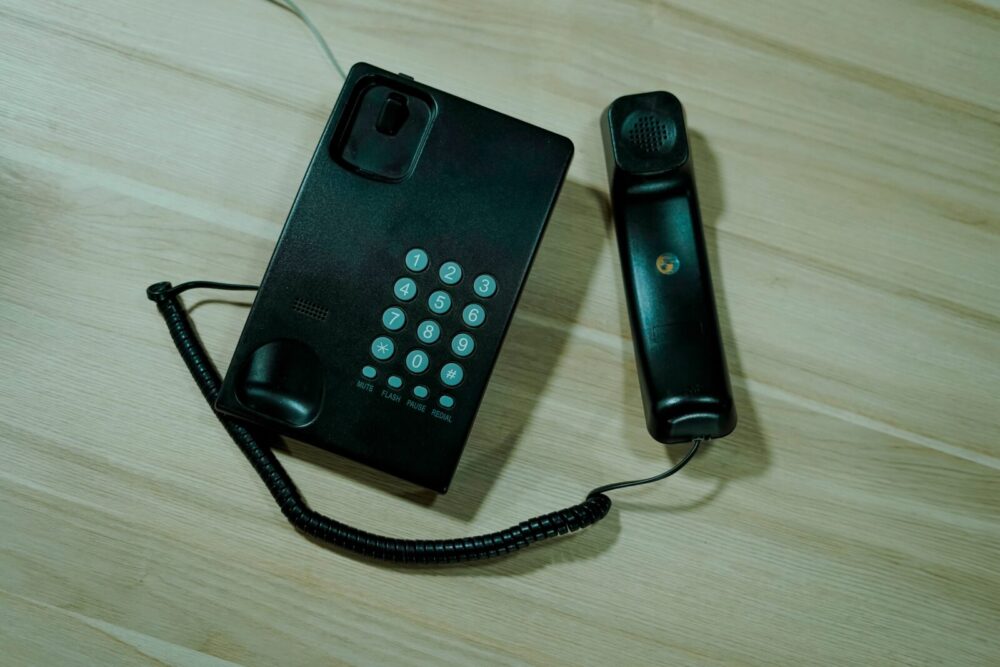
Most business owners we talk to like the idea of a cloud phone system. What worries them is the switch itself. Your phone number is printed on your trucks, your website, your Google listing and years of invoices. If customers call during the changeover and nobody answers, that’s lost business.
The good news is that switching a Las Vegas business to VoIP doesn’t have to mean downtime or missed calls. With a little planning, most offices move over with customers never noticing anything except that the phones work better. Here’s how the process works, step by step.
Step 1: Take stock of how your phones work today
Before anything changes, write down how calls actually flow through your business right now. It sounds simple, but this is where most problems are prevented. A good list includes:
- Every phone number you use, including main lines, fax lines and any numbers that only forward somewhere else
- Who answers which calls, and in what order phones ring
- What callers hear today: a receptionist, a recorded greeting or a “press 1” menu
- Where calls go after hours, on weekends and on holidays
- Which employees work from home or out in the field and need calls on their cell phones
- Any fax machines you still use
This list becomes the blueprint for your new system. When we set up a business phone system, we use it to recreate what already works and fix what doesn’t, such as calls that ring forever or a greeting that’s ten years old.
Step 2: Keep your existing numbers with number porting
You don’t need new phone numbers to switch to VoIP. Moving your existing numbers from your current carrier to a new provider is called porting, and it’s a standard, regulated process. Your customers keep dialing the same number they always have.
To start a port, your new provider will ask for a few details from your current phone bill, usually the account number, the name and service address on the account, and the numbers you want to move. Make sure the information matches your current carrier’s records exactly. Small differences, such as an old suite number or a former business name, are the most common reason a port gets delayed.
One important tip: don’t cancel your old phone service yourself. Your current lines keep working until the port is complete, and the old service ends automatically once the numbers move. If you cancel early, you risk losing the number entirely. Let the port finish first.
Step 3: Plan your new call flow before setup day
Switching is the perfect time to make your phones work the way you’ve always wanted. With business VoIP phone service, features that used to cost extra are usually included. Think about which of these would help your business:
- Auto attendant. A greeting with simple menu options (“press 1 for sales, press 2 for service”) so callers reach the right person faster.
- Call groups. Ring a whole department at once, or ring phones one at a time in the order you choose.
- Simultaneous ring. Ring your desk phone and your cell at the same time so you never miss an important call.
- After-hours routing. Send calls to voicemail or a cell phone automatically when you’re closed.
- Voicemail and fax to email. Get messages and faxes in your inbox wherever you are.
Decide what callers should hear and where each call should go. Your provider programs all of this before the switch, so everything works the moment your numbers move.

Step 4: Set up and test the new phones first
With VoIP, your new phones can be delivered, connected and programmed before your numbers move. That means you can test everything while your old phones still answer customer calls. Make test calls between extensions, check the greetings, try the call groups and confirm voicemail reaches the right inboxes.
Your internet connection matters too. VoIP phones plug into your office network, so it’s worth confirming you have enough bandwidth for the number of phones you’ll use and that your network equipment handles voice traffic well. A local technician can check this as part of setup.
At Vegas Telecom, every plan includes free desk or cordless business phones, and our local technicians install and program them for you. Most offices are up and running in a few hours.
Step 5: Switch day and training
When the port completes, calls to your numbers start ringing the new system. Because everything was programmed and tested ahead of time, the switch itself is usually quiet. Customers simply call your normal number and reach you.
A short training session makes a big difference. Make sure everyone knows how to:
- Answer, hold, transfer and park calls
- Check voicemail on the phone, by email and in the mobile app
- Use the mobile app to make calls that show the office number instead of a personal cell
- Change their own greetings and forwarding settings
After the first few days, review how calls are flowing. It’s easy to adjust ring orders, greetings and after-hours routing as you see how your team works with the new system. Changes can be made online without a service call.
Common mistakes to avoid
- Canceling old service too soon. Wait until your numbers have moved.
- Forgetting a number. Fax lines and old numbers that forward to your main line are easy to overlook. Include them in your list.
- Skipping the call-flow plan. Copying a confusing old setup brings the same problems along.
- No training. A few minutes of training prevents dropped transfers and missed voicemails.
Switching with a local Las Vegas team
Vegas Telecom has helped Las Vegas businesses with their phones since 2006. We handle the number port, program your call flow, install and set up your phones, and train your team, with free setup and training and no contract. When you have a question, you reach our local team, not a call center.
If you’re thinking about switching, get a free quote and we’ll walk you through what your move would look like.
Ready for a better business phone system? Call Vegas Telecom at 702-260-4559 or get a free quote. Every plan includes free phones and no contract.
